How to keep AI characters consistent across video scenes
Character consistency is less about finding one magical prompt and more about controlling references, changes, and decisions across the entire sequence.
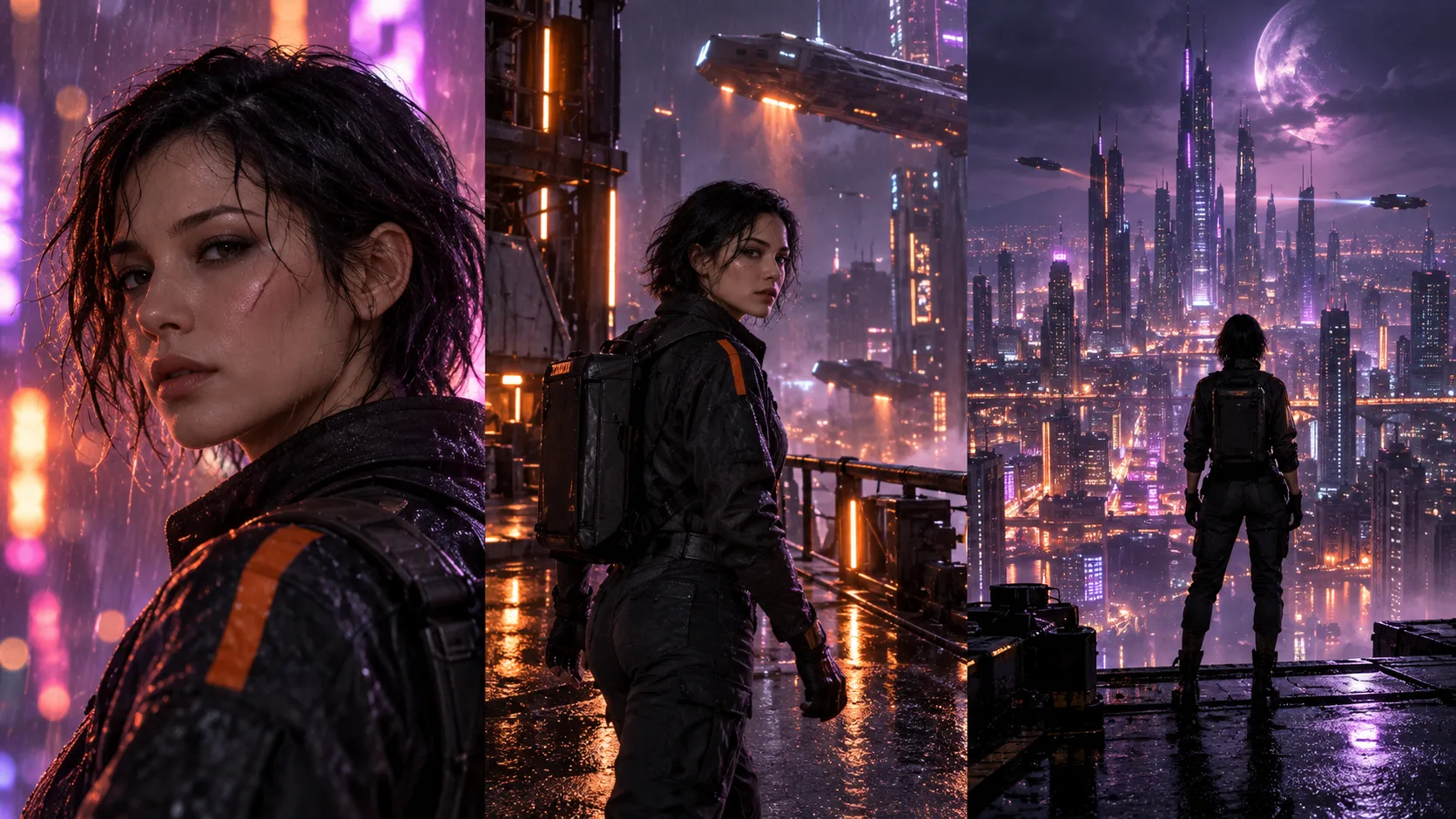
The most common failure in multi-scene AI video is identity drift: the character's face, clothing, proportions, or age changes between shots. You can reduce it substantially by treating consistency as a production workflow rather than a single generation setting.
The short version
- Start with one clear master reference.
- Keep a fixed character identity block in every prompt.
- Change only a few visual variables per scene.
- Plan the full shot sequence before generating.
- Compare every take against the master—not just the previous clip.
1. Lock the character before adding motion
Choose one clear master reference before generating video. The face, hair, clothing, age, proportions, and distinguishing details should be easy to read. A reference with dramatic shadows, a hidden face, or a complicated pose gives the model more room to reinterpret the character. Start with a neutral, well-lit view whenever possible.
2. Write down the traits that cannot change
Create a short identity block for the character: approximate age, face shape, hair, clothing, colors, and one or two unmistakable details. Reuse that language in every scene. Keep the identity block stable and put the changing action, camera, and setting after it. This makes it clearer which parts of the prompt are permanent and which parts belong only to the current shot.
3. Change fewer things in each shot
Continuity becomes harder when the character, wardrobe, location, lighting, action, and camera all change at once. Move between scenes deliberately. If the next shot needs a new setting, keep the outfit and lighting direction familiar. If the action is complex, simplify the camera. Small controlled changes give the model fewer opportunities to drift.
4. Plan scenes before spending credits
Write the full sequence as a shot list first. For each scene, record its purpose, reference image, framing, movement, duration, and transition into the next shot. A plan exposes continuity problems early and prevents you from generating attractive clips that do not connect. It also tells you which shots deserve extra attempts and which can remain simple.
5. Use one focused motion instruction
Image-to-video prompts work best when they describe what should move. Name the subject's action, the camera movement, and the pace. Avoid stacking several unrelated events into a short clip. A focused direction such as a slow push-in while the character turns toward a doorway is easier to preserve than a long paragraph containing multiple actions and location changes.
6. Compare each result with the master reference
Do not judge a clip only by how cinematic it looks. Pause on clear frames and compare the face, silhouette, wardrobe, colors, and signature details against the master reference. Reject a visually impressive take if it changes the character too much. Consistency across the sequence is more valuable than one isolated perfect-looking shot.
7. Use editing to strengthen continuity
Continuity is not created entirely during generation. Shot order, trim points, captions, sound, and color can make separate clips feel connected. Cut before a weak frame, use reaction shots between larger visual changes, and carry music or narration across scene boundaries. The final edit can hide small variations while reinforcing the character and story.
A reusable consistency checklist
Before approving any scene, check the following:
Put the workflow into practice
Scenevera keeps character references, scene plans, generated takes, timeline editing, captions, and audio together so you can manage consistency across the whole video.
No card required. Welcome credits expire after 30 days.